Engineered, not estimated.
Most solar proposals are drawn on a roof nobody has properly measured, shaded by assumptions and priced from a spreadsheet. The numbers look precise, but the method isn’t.
Zervio Eco works the other way round. Every project is built as a single engineering model, from the first roof edge to the last cable run, and every drawing, report and figure comes out of that model. The result is a design an installer can build, an engineer can check and a funder can underwrite.
The real roof, in three dimensions
Every design starts on photorealistic 3D city data, not a flat satellite tile. You set the roof form (flat, dual-pitch, single slope, single or double hip) and pick the ridge and gutter. Eco then derives the true pitch and azimuth from the geometry itself.
Neighbouring buildings, stair cores, plant rooms, parapets and trees all stay in the scene, because each of them casts a shadow and each of them matters.
Layout at module level
Modules are placed in groups under the constraints a site team works to: portrait or landscape, maximum rows and columns, row and column gaps set to the centimetre, and flush, tilted or dual-tilt racking. Each module carries its own reference, so the layout, the string schedule and the installer on the roof are all talking about the same panel.
Shading by raycast
Shading is calculated in three dimensions. For every module and every daylight hour of a representative year, Eco traces a ray to the sun and tests whether it gets there. Near-field obstructions are checked against the 3D model, and the far horizon is traced out to 8 km.
The output is an hour-by-month sun-access matrix for every segment. Sun beams can be inspected one at a time: green reaches the sun, red stops at whatever blocks it. A diffuse sky-view factor is reported too. Analysis runs in parallel in the browser, so a 528-module, five-roof scheme completes in under six seconds.
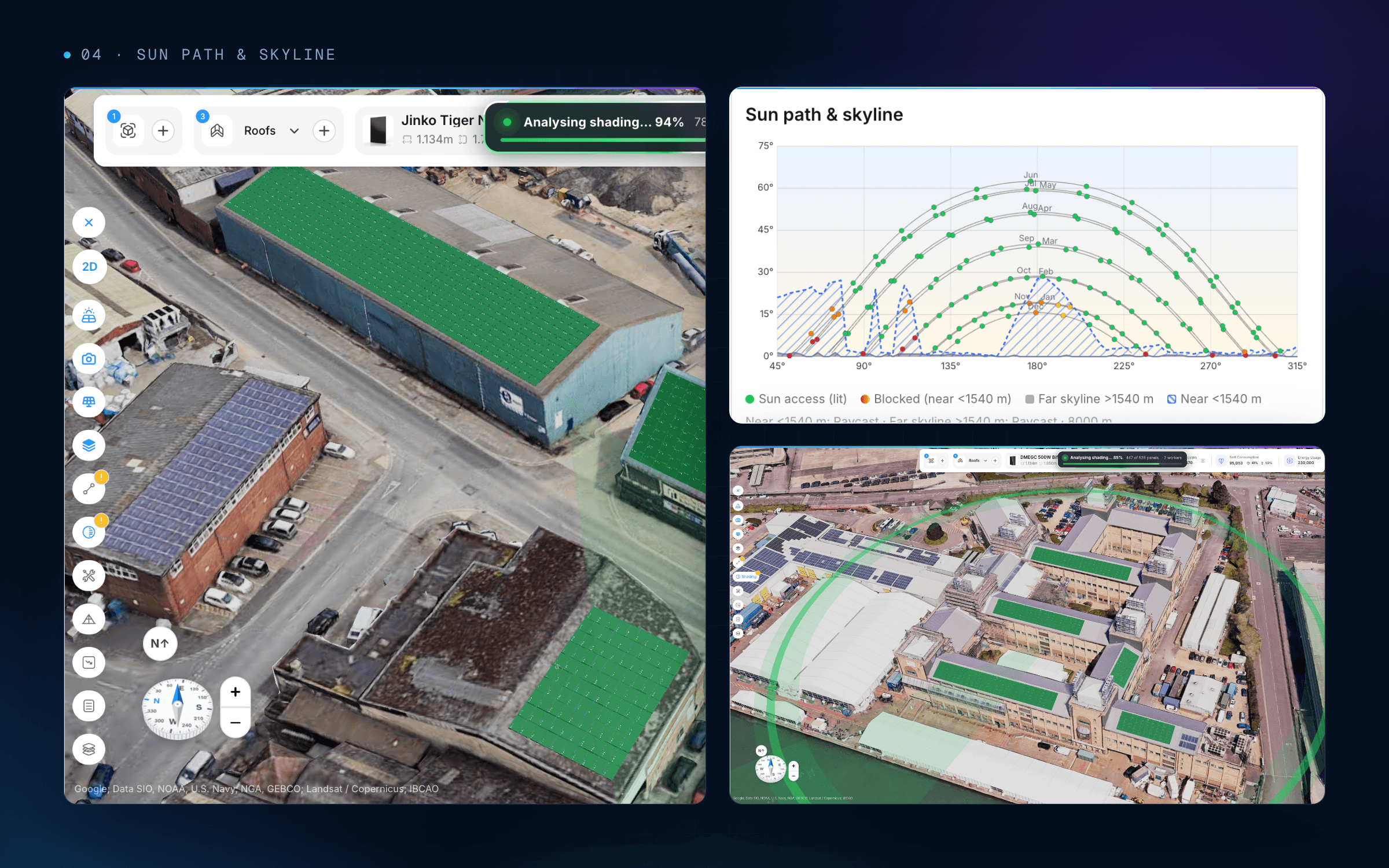
Sun path against the measured skyline. Every blocked hour is visible before anything is quoted.
Yield that stands up to scrutiny
Shading feeds straight into the energy model, which reports P50 and P90 generation. P50 is the central expectation. P90 is the output the system should exceed in nine years out of ten, and it is the figure lenders, landlords and PPA counterparties underwrite against.
Self-consumption is modelled against the site’s own demand, so the split between energy used on site and energy exported is part of the design from the start.
Stringing and MPPT
Strings are drawn directly on the roof: click or drag across modules to build each one. Eco keeps the roof-to-segment hierarchy, checks every string against the selected inverter and flags orphaned modules before they ever reach a drawing. Strings are then allocated to MPPT inputs, and DC isolation is specified in sequence: inverter, stringing, then MPPT and isolators.
Structural checks next to the design
For each roof segment you set the structure type, the covering and the rafter or purlin details. Eco then checks dead load, wind and snow, including MIS 3002 Method 1 and Method 2 table checks. Settings can be applied to one segment, a whole roof or every matching roof on the job, so a large estate with repeated roof types is configured once.
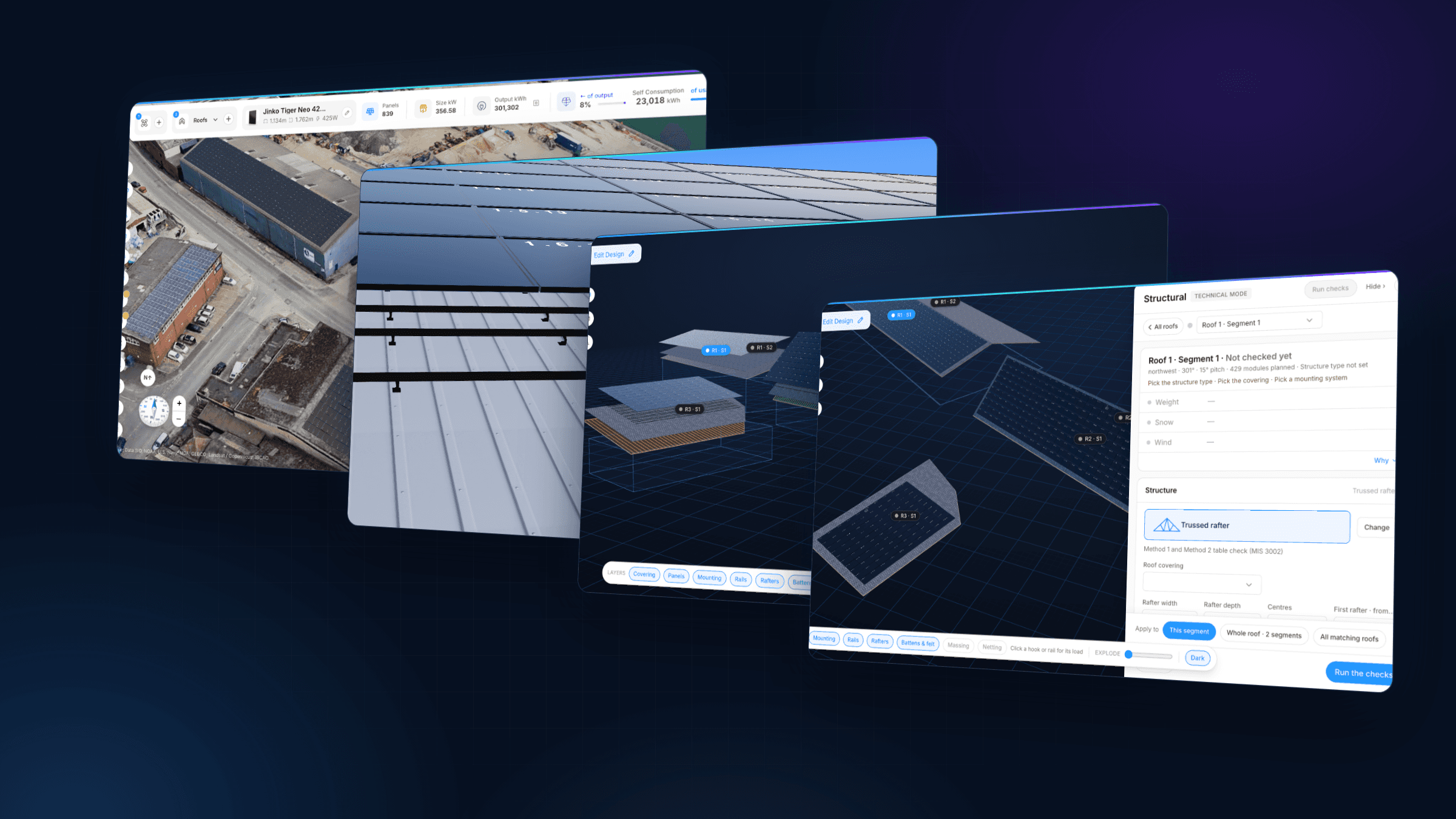
From site model to mounting, layers and structural checks, it is one model throughout.
Every layer, explodable
The model is the full build-up, not a picture of panels on a roof: covering, battens and felt, rafters, rails, mounting and modules, each on its own layer. Slide the explode control and the roof separates into its components. Click any hook or rail to see the load it carries.
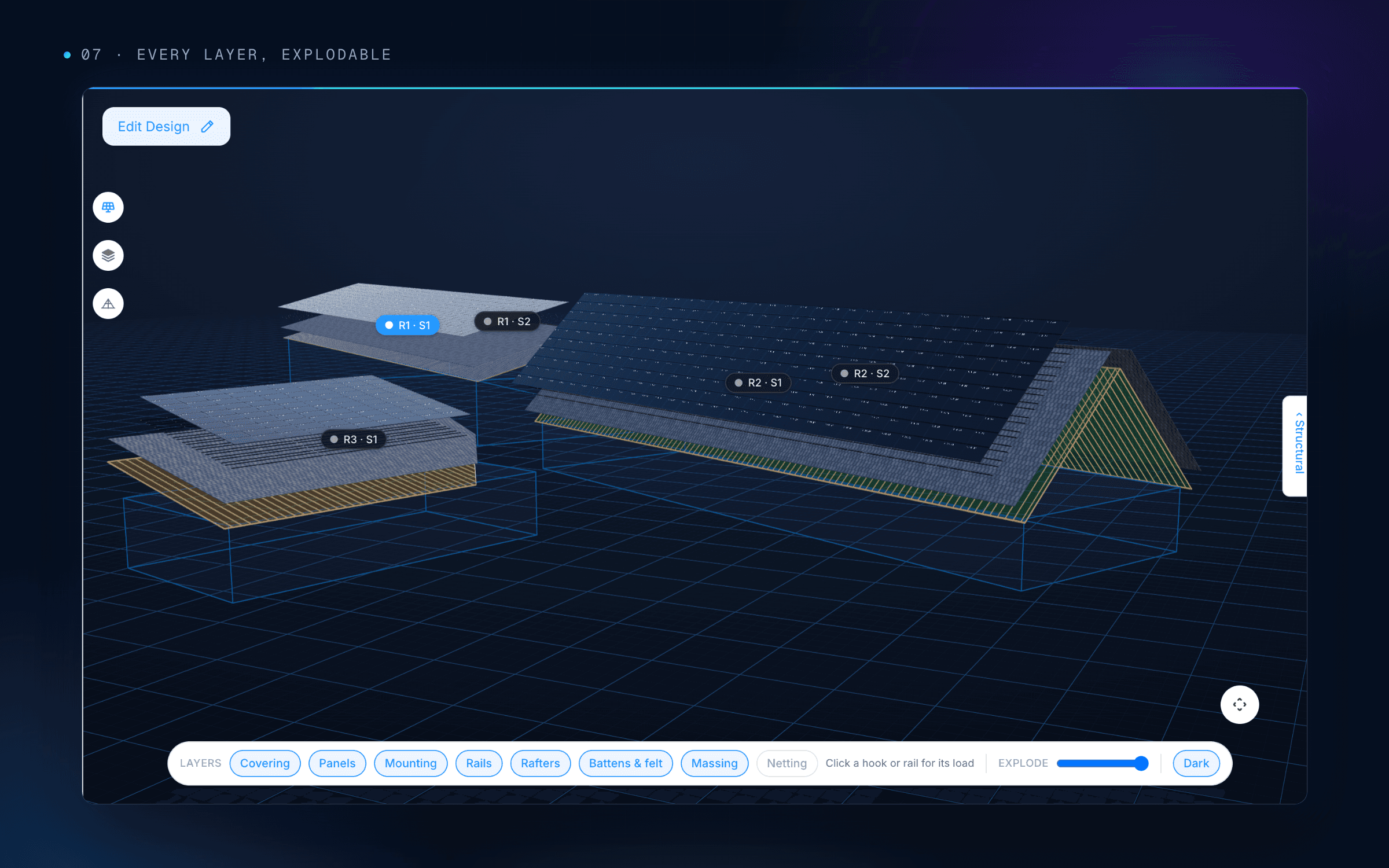
Each layer can be inspected on its own.
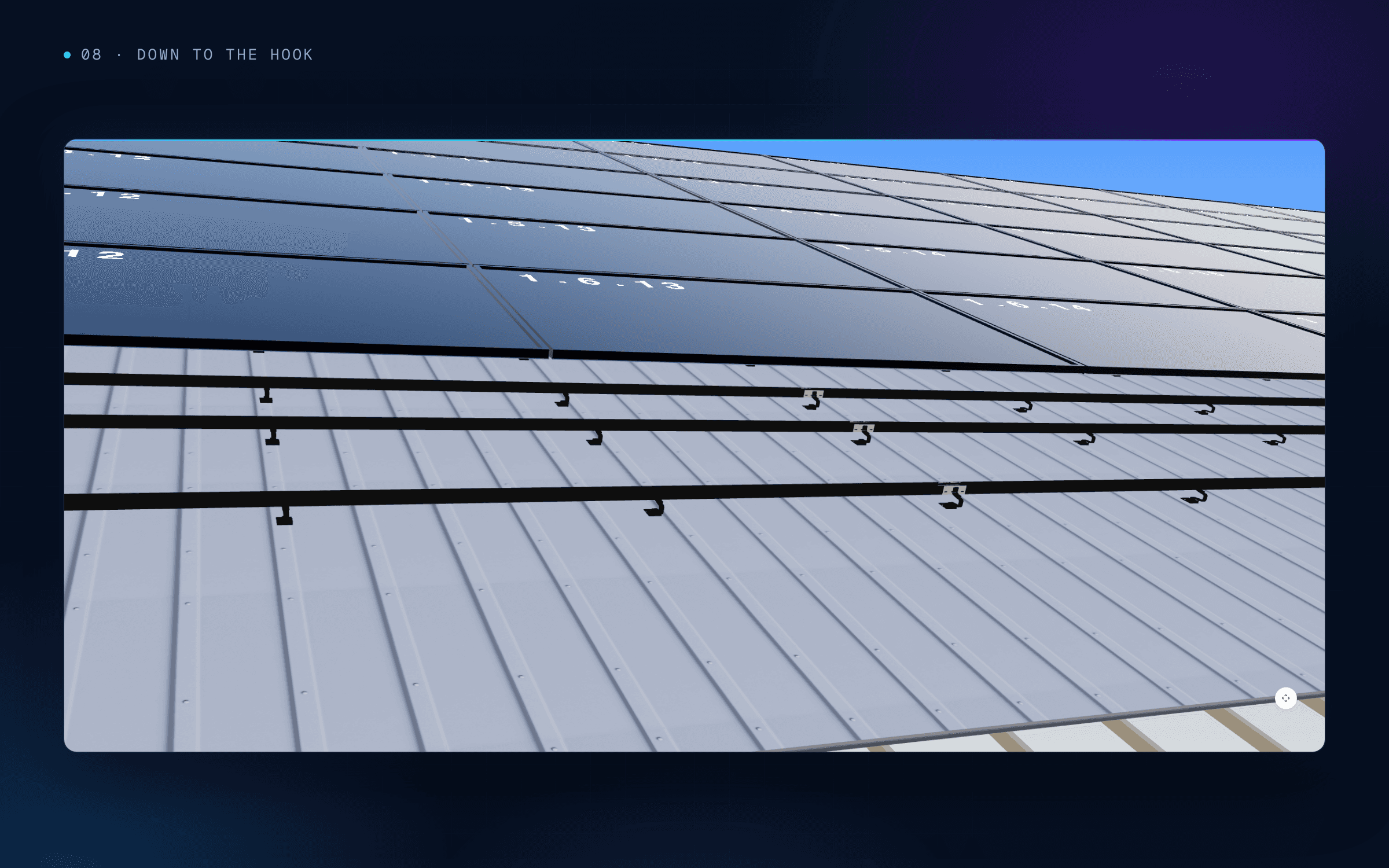
Rails and hooks placed on the real roof profile. Every fixing is counted.
A bill of materials down to the cable
Because every component exists in the model, the bill of materials is generated, not estimated: modules, inverters, rails, hooks, clamps, isolators and protection, through to DC and AC cable runs with their cross-sections. Procurement orders what the design needs, and the installer arrives with it.
Visuals that sell the design
The same model produces AI-rendered photorealistic visuals of the finished installation, so a client sees their own building with their own system on it, not a stock image. The render and the engineering come from the same geometry, so what is shown is what gets built.
One dataset, from proposal to due diligence
Behind every design sits a structured dataset: geometry, module positions, hourly shading, P50 and P90 yield, string and MPPT allocation, structural inputs and results, and the full BOM. It is consistent, traceable and exportable. A technical adviser can follow every figure back to its source, and the same data carries on into installation, commissioning and operation.
Every number in the proposal traces back to the model. Every document in the pack does too.
Built on a modern stack
Eco runs in the browser, with no plug-ins or desktop installs. Rendering is GPU-accelerated over photorealistic 3D tiles, and shading analysis is spread across parallel workers. The data model is shared across Zervio Eco and Zervio Orbit. Design data does not get re-keyed between tools, because there is only one tool.
The documentation pack
The model produces the paperwork: layout drawings, the shading report, P50 and P90 yield, the string schedule and MPPT allocation, the single-line diagram, structural calculations and the full BOM. Change the design and every document follows.
Design is the first stage in the life of an asset, not a sales exercise to get past. The model built in Eco carries on into installation and handover, and from there into Zervio Orbit for monitoring, control, metering, billing and settlement.
The native operating system for decentralised energy. One stack for the life of the asset.
Read next: Bankable by design · Shading you can see

Author

Shalz Parashara
Share Article